File Service Setup
You can choose either Cloudinary or Minio for storing files. Only one of them can be used at once. File service is used for storing logos, blog images and other media files.
Cloudinary is set as the default file service.
Cloudinary Setup
If you want simple and hassle-free experience, Cloudinary is the best option for you. It's a managed file storage platform.
- Create a Cloudinary account at https://cloudinary.com/users/register_free
- From Cloudinary dashboard click View API Keys.
- Copy
Cloud name,API key, andAPI secretkeys.
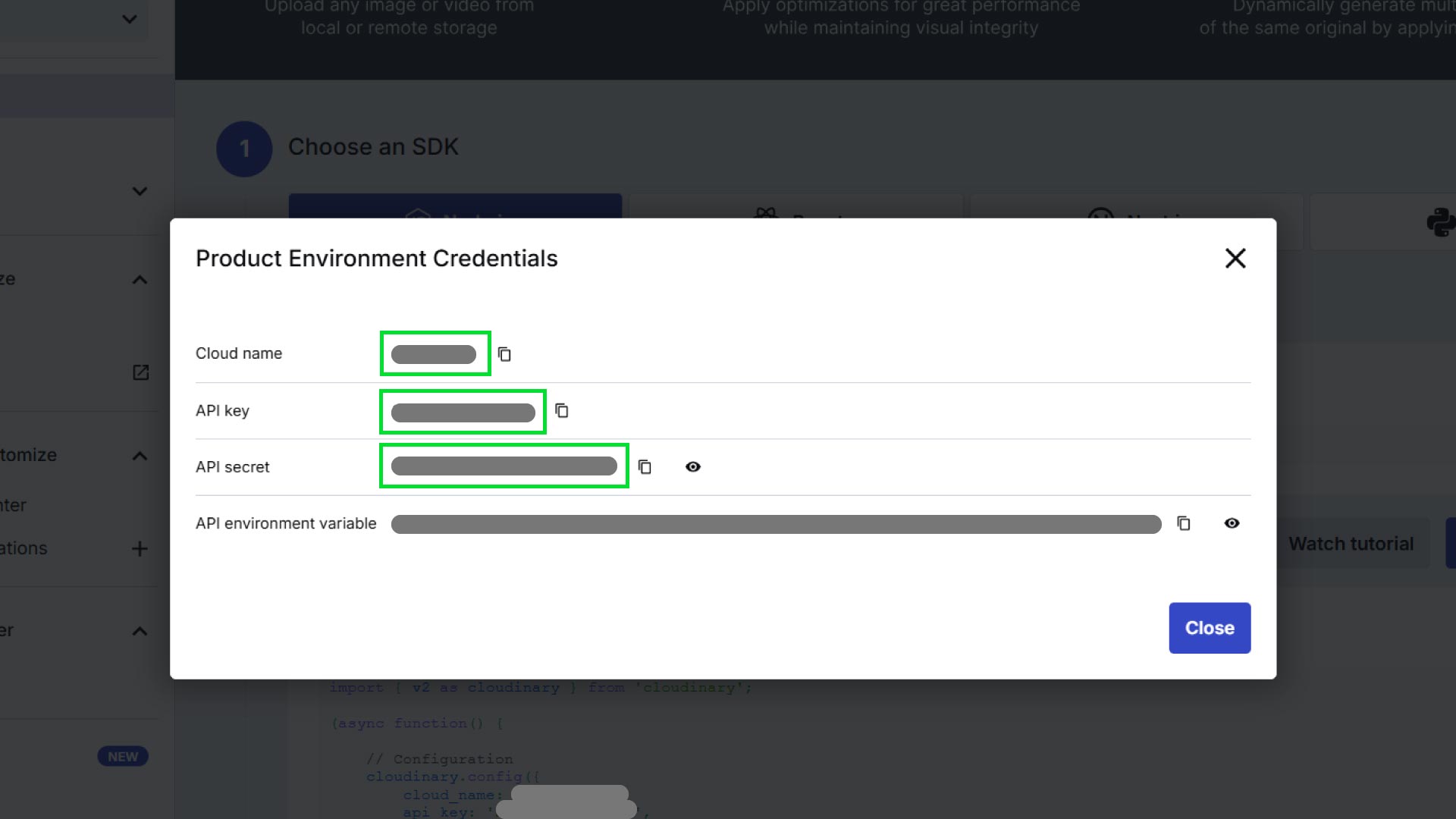
- Then open the backend code in VS code and go to
.envfile, then go to Cloudinary section and place the keys in their respected fields.
Minio Setup
Minio is an AWS S3 compatible object storage server. Host it on your server and collect the End Point URL, Public URL, Port number, Access Key and Secret Key.
Go to backend environment varibales file (.env file), and place them in their respected fields.
Here is an example:
# Minio
MINIO_END_POINT="192.162.50.254"
MINIO_PORT="9000"
MINIO_ACCESS_KEY="**********"
MINIO_SECRET_KEY="***********"
MINIO_PUBLIC_URL="https://example.com"
You must use SSL enabled URL (https) here.
If you are testing in localhost, you might get error while uploading files, because SSL is enabled by default. You can change that in minio-store.ts file.
Remember to set Minio as the default file service.
Changing The Deafult File Service
If you want to use minio as file service, then go to the src folder from the backend file, in the bottom, you will see system-settings.ts file, open it. Here you will see mediaStorage is set to cloudinary, replace it with minio.
{
  mediaStorage: "minio",
};
Update Frontend for File Service
To mitigate Cross-site scripting (XSS) attack on the platform, we only allow loading images from the trusted domains in the frontend. You must add your file service domain, so that images can safely load on the frontend.
Cloudinary is preconfigured in next.config.ts file. So, if you are using Cloudinary as file service, you might not need this step.
Open your frontend code, go to next.config.ts file. Add your file service domain or sub domain like below in the remotePatterns array.
{
  protocol: "https",
  hostname: "example.com",
  pathname: "**",
  port: "",
},